Why Desk Phone Placement Matters More Than Most People Realize — and What a Good Stand Actually Solves
Most people don’t think of where their phone sits on the desk as a productivity decision. The phone goes wherever it ends up — next to the keyboard, off to the side, face-down on a pile of papers — and the arrangement persists until something forces a change. The result is a setup that works well enough that no one bothers to optimize it, but creates small frictions many times a day that add up to more than most people notice.
A well-designed phone stand doesn’t just tidy the desk. It changes how you interact with your phone during a workday, and that change turns out to matter more than it first appears.
The hidden cost of a phone lying flat
When a phone is lying flat on a desk, every notification check requires picking it up. That’s a full hand, a full attention shift, and a context switch every time the screen lights up. Research on task interruption suggests that even brief switches away from focused work extend the time needed to return to the previous task. The phone doesn’t need to demand your active attention to create this cost — the habit of picking it up and setting it back down does the work on its own.
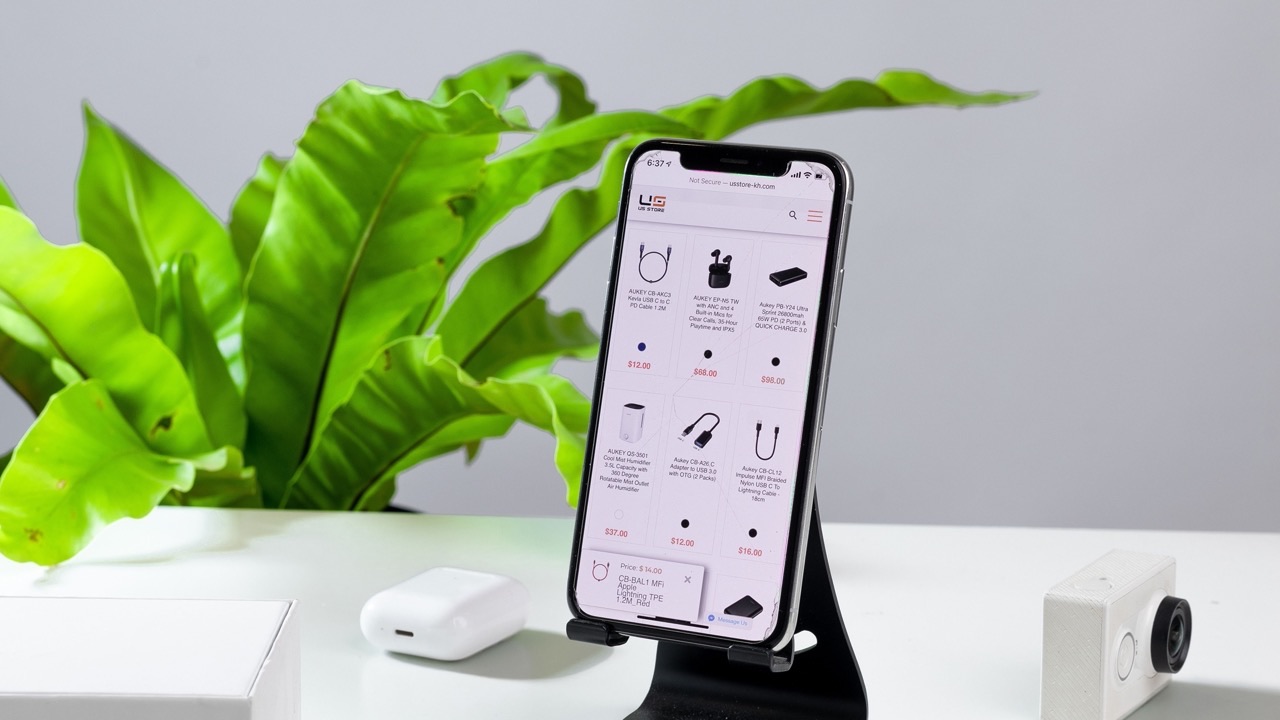
A phone standing upright at the desk edge changes this in a specific way: notifications and incoming calls become glanceable rather than requiring a pickup. The difference between lifting your eyes for half a second and reaching for the phone, unlocking it, reading it, and setting it back down is not trivial when it happens twenty or thirty times in a workday. The stand doesn’t reduce how often you check — that’s a personal discipline question — but it reduces the cost of each check and makes it easier to decide that a notification doesn’t require action without committing to the full interaction loop.
What charging friction looks like at desk level
The cable-charging problem is one of the most consistent small annoyances in a modern desk setup. The cable is never quite long enough, it falls behind the desk when you pick up the phone, the connector requires finding the right angle, and after a few years the port shows wear from the daily plug-and-unplug cycle.
MagSafe changes this at the hardware level — the phone aligns and attaches magnetically rather than requiring a connector insertion. On a MagSafe stand, the phone charges whenever it’s in the stand without any deliberate action. You put the phone down; it charges. You pick it up; it detaches cleanly. The friction isn’t just reduced — it’s eliminated. There’s no missed charge because the cable fell behind the desk. There’s no cable to manage.
This matters more than it sounds like it should. Wireless charging has been available for years, but the pad-style implementation had a placement problem: the phone had to be centered on the pad, couldn’t be used easily while charging, and didn’t hold any particular position. MagSafe on a stand solves all three of these. The magnet holds position reliably, the phone is usable while charging, and the attachment and release are nearly frictionless.
The single-hand access problem
Desks accumulate context. There are documents open, notes in progress, reference materials arranged in a particular way. Reaching across the desk to pick up a phone with the wrong hand, or clearing a space to get to it, is a small disruption each time. On a crowded desk, phone accessibility is a real issue.
A stand positions the phone where it’s consistently accessible — at the same location, at the same angle, within reach without searching. This sounds trivial until you notice how often the phone has migrated to an awkward position by mid-afternoon and you’ve been unconsciously working around it.
Height matters here too. A stand that positions the phone at roughly the same level as the monitor puts the phone in peripheral vision without requiring a significant head or gaze shift. A phone sitting flat on the desk is always below eye level, requiring a more pronounced downward tilt to read. Over a long workday, the cumulative effect of repeated downward glances is a form of low-grade physical friction that ergonomic desk setups generally try to minimize.
What the stand material contributes
CNC-machined aluminum stands occupy a specific place in desk setups where both function and visual consistency matter. The material doesn’t flex or develop the slight looseness that develops over time in plastic-based joints and hinges. The weight provides stability without requiring a large footprint. And the visual language of machined metal integrates with the monitors, keyboards, and other hardware that tend to populate a desk that’s been set up deliberately rather than accumulated incidentally.
There’s a subjective element to this that’s worth naming: a desk that feels intentional to work at tends to be used more productively than one that feels like a collection of leftover objects. The physical environment affects attention and engagement in ways that are real even if they’re hard to quantify. Hardware that looks like it belongs — consistently finished, well-proportioned, placed with purpose — contributes to that environment.
The peakzooc magsafe phone stand combines the MagSafe attachment mechanism with a CNC aluminum construction and an articulating arm that allows precise positioning within the workspace. The result is a stand that addresses the placement, charging, and accessibility problems simultaneously rather than trading one off against another.
Desk phone placement isn’t a decision most people revisit once they’ve settled into a setup. But it’s one of the higher-leverage small changes available to anyone who spends significant time at a desk.